Camera Views and Vehicle Control is a practical companion for Canadian visitors exploring Advance Parking Car Sim Game by Creative Gamers Studio. Precision parking begins with reading the available space, noticing the vehicle’s relationship to its boundaries, and making controlled corrections rather than reacting late.
Precision Parkway is an independent English-language review website, not an official manual for the game, its developer, or Google Play. Available camera perspectives and control behaviour can change with the current app version, so use this lesson as a calm way to observe, align, adjust, and reassess before committing to a parking attempt.
The aim is not the fastest route into a bay. It is a cleaner, more deliberate attempt: inspect the space, choose the clearest available viewpoint, make a small input, and check what that input changed. For current app details or installation, consult the official listing.
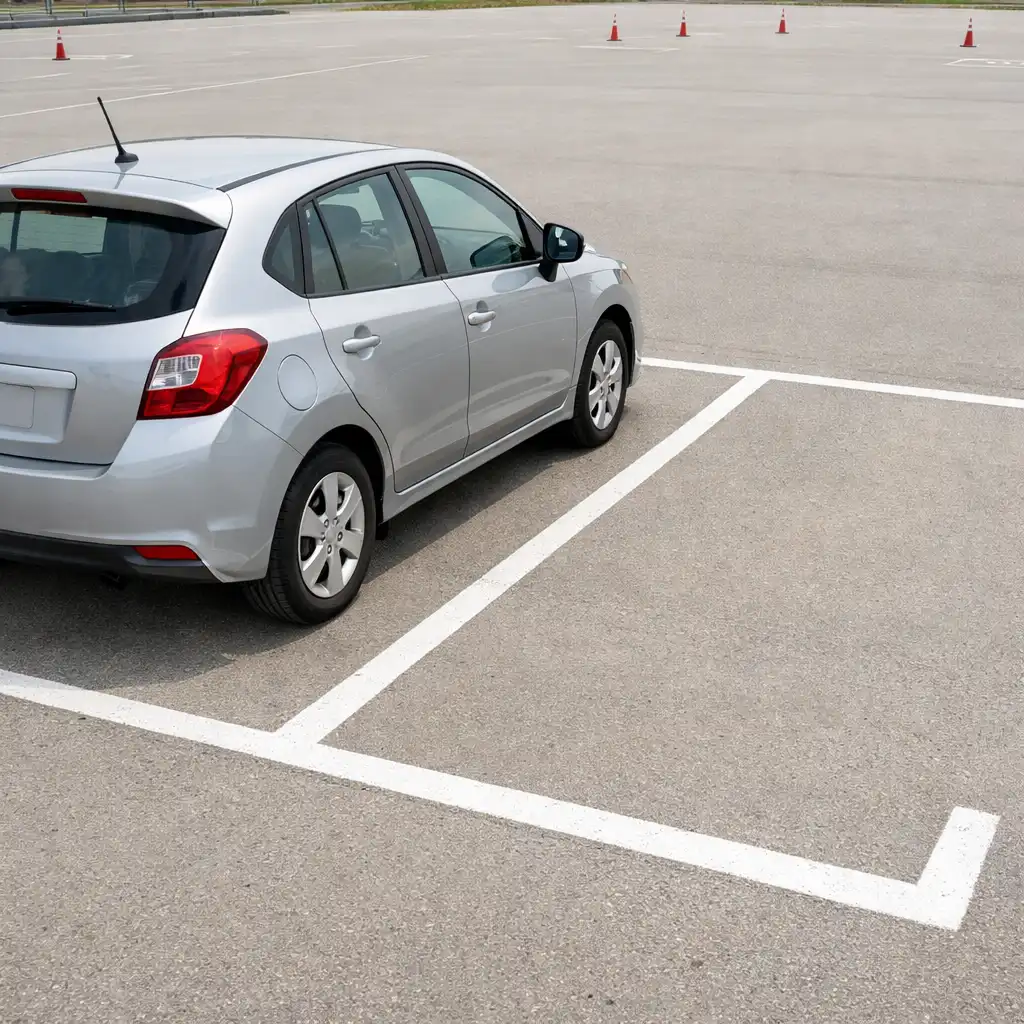
Observation before steering: establish the bay entrance and vehicle path before making a larger correction.
01
Course principle
Why perspective changes the parking decision
A useful view gives the parking attempt a reference system. Bay lines, kerbs, nearby obstacles, and the vehicle’s position become meaningful only when you can compare them clearly.
A parking bay is a reference system
Before turning, identify the target space, the approach edge, and the final angle you want the vehicle to hold. Look for visible bay boundaries and a simple visual reference near the entrance. A perspective is helpful when it clarifies those relationships, not simply when it looks more dramatic. The goal is to understand where the car is going before its path becomes difficult to explain.
Correction
Small visual errors become large steering errors
Misreading a rear corner, side clearance, or bay angle can encourage an overcorrection. Make one modest change, then check the result instead of chaining rapid direction changes. In a precision driving game, an understandable path is usually easier to recover than a hurried series of guesses.
Use confidence, not guesswork. A change of view or a brief pause can be a deliberate check that builds spatial judgement over repeated attempts. If a new angle makes the approach harder to read, return to the familiar reference that lets you see the target and the nearest vehicle edge most clearly.
Pre-manoeuvre routine
The observation loop
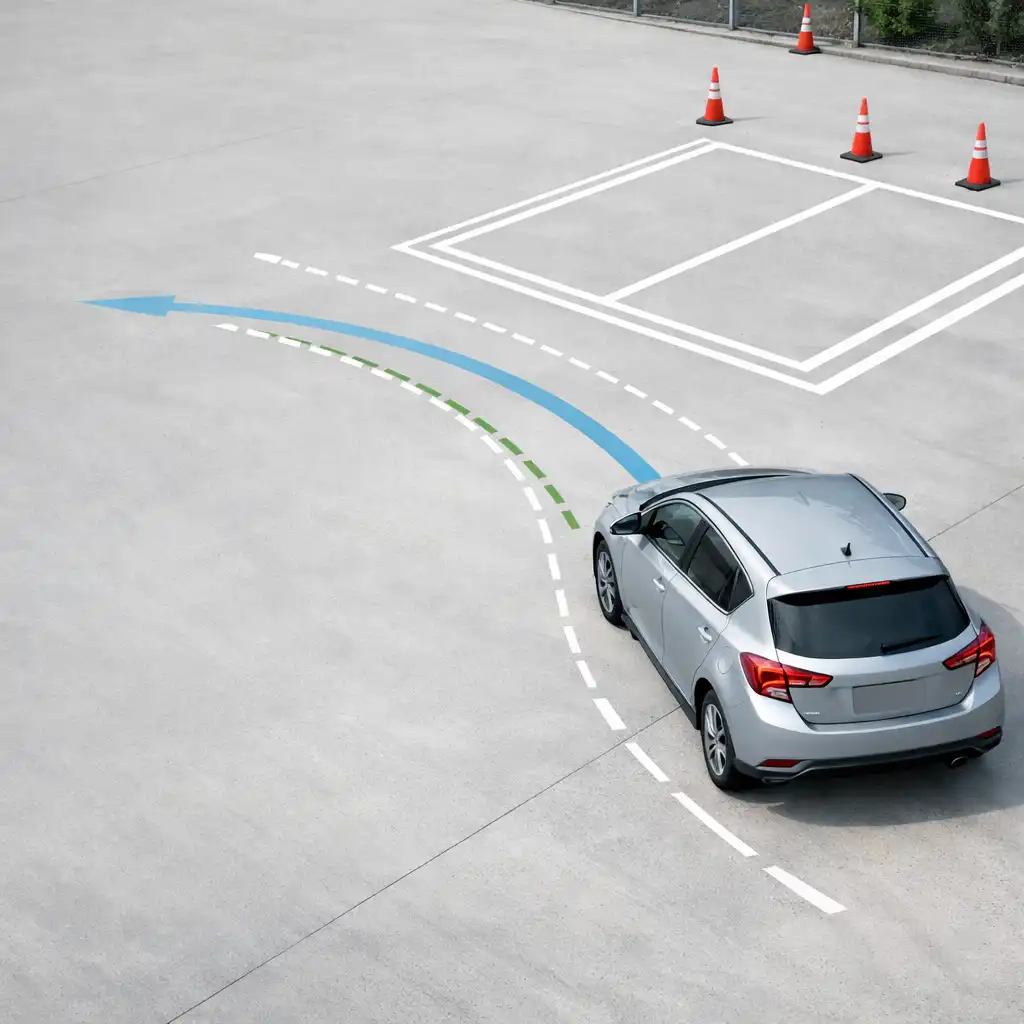
Use this general technique before and during a parking manoeuvre. It is a driving-school diagram, not a literal reconstruction of a game level or a statement about formal completion rules.
Approach pathTarget areaObservation check
1
Locate the target
Identify the intended space and the vehicle edge that needs the most attention before moving into the bay. Read visible boundaries and nearby reference points. Choose an approach that leaves room for a correction rather than aiming at the final position too early.
2
Check the approach angle
Enter on an angle that makes the path understandable, paying attention to the front or rear corner nearest the boundary. If the angle looks wrong early, ease off and reassess where the app allows it rather than forcing a late correction.
3
Recheck before settling
Make a final check for centring and clearance before considering the manoeuvre settled. This is an alignment check, not a claim about the game’s validation conditions. Use the most legible available perspective for confirmation.
02
Viewpoint checks
Choose a useful viewpoint for the moment
The visual question changes as a parking attempt develops. Use the available perspective that best answers the question in front of you, without assuming that one angle will solve every alignment decision.
Use the image as a general reference for observing a route, a near edge, and final alignment; the labels below are not official camera names.
Approach
For approach: read the route ahead
An outward-looking perspective may help when you need to judge the line into a space and spot where a turn should begin. Focus on lane position, the target opening, and the expected path rather than treating any single viewpoint as a guaranteed answer.
Nearest edge
For alignment: watch the nearest edge
Choose an angle that reveals the corner or side most likely to drift toward a bay line. Make a small adjustment, then look again. The point is to understand relative position, not to expect an exact clearance measurement from the view.
For confirmation, simplify the final check. Return to the clearest available view when deciding whether the vehicle appears centred and settled in the space. Changing views repeatedly can interrupt judgement if it replaces a consistent reference point; calm control still does the essential work.
Vehicle control
Control inputs: smoothness creates room
Once the space is clear, conservative inputs leave time to see what the vehicle is doing. These principles apply as general guidance for an Android car parking game without assuming a particular control layout or sensitivity setting.
Build speed slowly
Favour a pace that leaves time to observe the path and react to small alignment changes. Rushing reduces the opportunity to compare the car against bay boundaries, particularly when the turn point is still uncertain. A measured approach keeps the next decision visible instead of turning the manoeuvre into a surprise.
Measured pace
Turn in measured increments
One purposeful steering adjustment followed by observation is clearer than sweeping repeatedly from side to side. The aim is to preserve an understandable vehicle path. Corrections are part of learning; they become more useful when each one gives you a new reference for the next choice.
Input → check → refine
↱
Create a reset point
When the approach no longer makes visual sense, return to a simple reference position where possible and reassess the target. Depending on the options present in the app, that may mean slowing, pausing, or repositioning rather than compounding uncertainty. Start again from a point you can explain.
Use this four-part rhythm as a simple checklist during play. It is a general learning pattern, not a confirmed in-game tutorial.
01
Set the line
Choose a readable route toward the open space and identify the first turn point. Keep the path simple enough to evaluate, using available visual references before making a larger steering decision.
02
Make one change
Commit to a modest adjustment and let the vehicle’s relation to the bay become visible before adding another. Avoid rapid alternating inputs; this is a useful habit in any car driving simulator.
03
Check the edge
Use the clearest available view to inspect the side or corner nearest the boundary. Look for relative alignment, remembering that viewpoint selection supports rather than replaces careful control.
04
Settle and confirm
Finish with a measured final alignment check, then carry the lesson into the next parking challenge. Explore parking challenges →
Recovery station
When the approach stops making sense
Recognising an unclear approach is a useful skill for parking game beginners. Warning signs can include losing sight of the target edge, reaching a vehicle angle that is difficult to explain, or noticing that corrections are becoming larger rather than smaller. These are observations, not predictions about collisions or fail states.
The target boundary is no longer easy to compare with the vehicle.
The next steering decision feels harder to explain than the previous one.
Each correction creates more uncertainty instead of reducing it.
Reduce the problem
Regain a clear reference and simplify the route instead of layering in more corrections. Look again from the clearest available perspective. Depending on the choices available in the app, slowing, pausing, or repositioning may be more useful than continuing with an uncertain line.
Carry the lesson forward after a missed alignment: ask which edge disappeared, which turn started too early, and which visual reference would help next time. That reflection is more valuable than treating an attempt as a scored failure. For broader context, read the Advance Parking Car Sim Game Full Review →.
Independent assessment
How this fits the parking-focused experience
Editorial take
In this Advance Parking Car Sim Game review, camera awareness and measured control are the skills beneath the challenge. Precision Parkway’s parking game review perspective is editorial guidance, not an official feature description from Creative Gamers Studio: the clearest viewpoint helps, but deliberate vehicle inputs turn observation into alignment.
What this guide can help clarify
Spatial awareness: notice the bay, approach edge, and nearest vehicle corner.
Correction timing: make one visible change before adding another.
Intentional attempts: approach parking challenges with a repeatable observation routine.
What still depends on the player and current app version
Individual comfort, device controls, available perspectives, and current app details can affect the experience. For current official information or installation, visit Google Play ↗.
03
Next course choice
Continue the course
Choose the next guide that matches the part of the parking-focused experience you want to practise or understand.
Visit the Precision Parking Guide for a broader approach to lining up, entering, and assessing a space. It is the natural next stop if you want a parking-focused sequence to carry into your next attempt.
Read Beginner Tips for practical habits that support calmer attempts and repeatable learning. The focus is early confidence and clearer decisions, not promises about results or completion.
Review current official information or install the game through the supplied Google Play listing. Google Play is an external destination and remains the best source for current app details.
Precision Parkway is an independent informational review website and is not the official site for Advance Parking Car Sim Game or Creative Gamers Studio. This page offers general editorial guidance for visitors considering the parking-focused experience.
For current official app details and installation, visit Google Play ↗.
Cookie preferences
We use essential storage to remember this choice. Read our Cookie Policy.